
Vault OS Begins
Development of Vault OS has begun. Explore the seven apps planned for The Offline Vault and the first steps toward a consistent, easy-to-use experience designed to work without the internet.
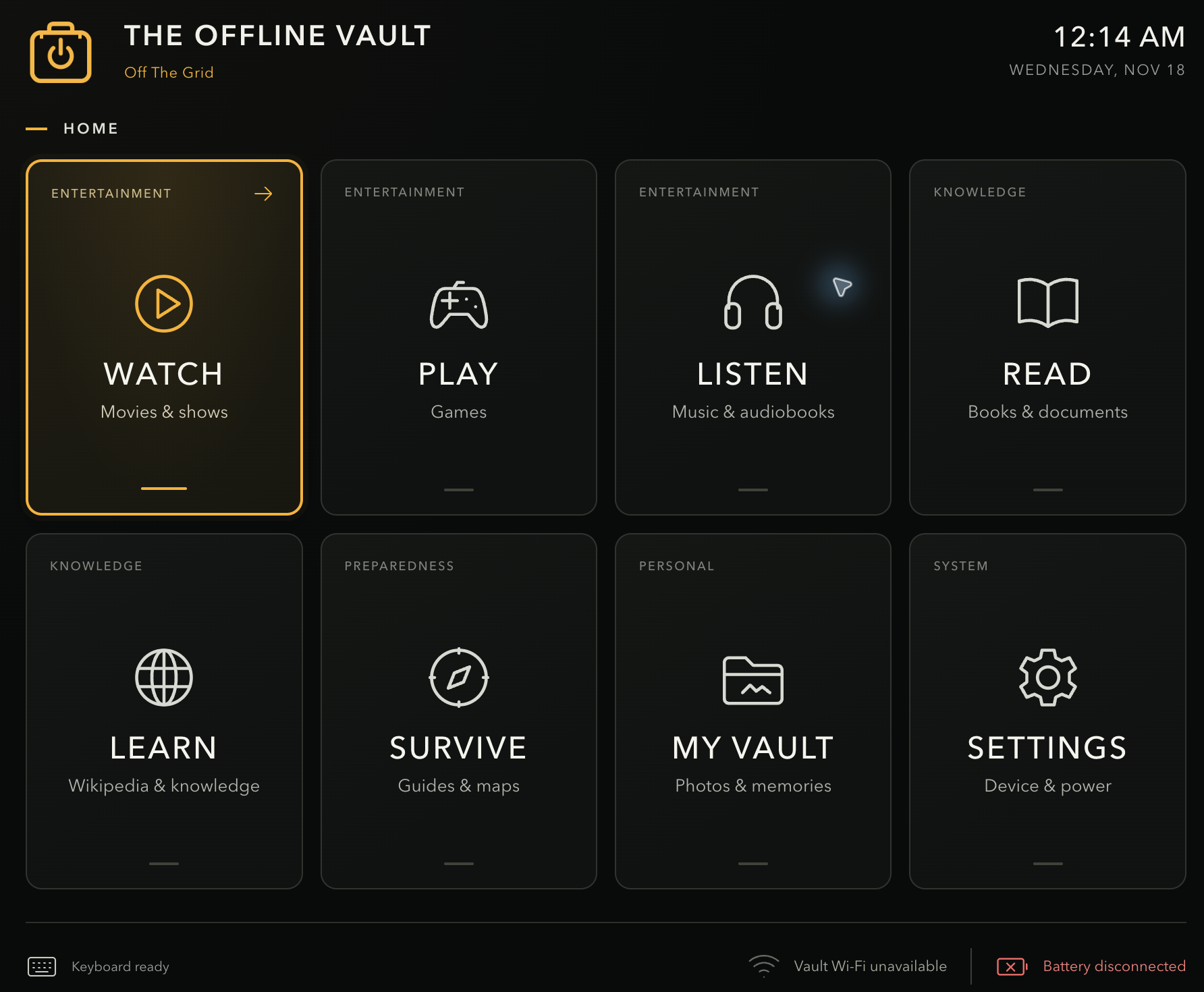
Development is officially underway on Vault OS, the software that will bring The Offline Vault to life.
With the core prototype parts ordered, I’m starting to build the experience that ties everything together. The goal is to make movies, music, games, books, knowledge and personal memories easy to access, even when there is no internet connection.
I want turning on the Vault to feel familiar. You should be able to find something to watch, pick up a book where you left off, play a game or look through your photos without thinking about the software underneath it.
Seven apps, one experience
The plan for Vault OS centers on seven apps.
Watch will organize movies, shows and documentaries, with categories, search, favorites and viewing history. You’ll be able to pause, resume and pick up where you left off.
Play will bring supported games into a library organized by system and category. Search, favorites, recently played titles, saved progress and two-player support are all part of the intended experience.
Listen will hold music and audiobooks, with albums, artists, playlists and listening history. Audiobooks will remember their own position, so playing music won’t cause you to lose your place in a book.
Read will provide a home for books and documents, with categories, search, bookmarks, favorites and reading history.
Learn will make Wikipedia and selected reference material available locally, with article search, links and bookmarks that work without the internet.
Survive will focus on emergency references, checklists and offline maps. Clear organization and quick access matter here, along with knowing where information came from and how current it is.
My Vault will hold your own photos and videos. The plan includes importing media, creating albums, searching and browsing a timeline, while preserving original files and their metadata.
These are the features I’m working toward, not a list of finished capabilities. The prototype will help determine what works well, what needs refinement and what should change.
Consistency matters
Watch, Play, Listen and Read should feel closely related. Browsing, search, favorites and history will follow the same basic patterns, while each app provides the controls its content needs.
The planned home screen will bring the seven apps together with Settings. Navigation is intended to work with physical controls rather than requiring a touchscreen.
That home screen is the first milestone. Before building out the libraries, I want the basics to feel right: choosing an app, moving around, going back and reconnecting a controller without getting stuck.
What happens next
The software project is initialized, and development is beginning with the home screen. From there, I’ll build and test small working pieces of each app, then bring them together into the complete experience.
Phase One is a wall-powered proof of concept. Battery operation and the final enclosure will come later, once we understand how the hardware and software perform together.
I’m excited to have reached this stage. The parts are on their way, the software work has begun, and the next step is turning the idea into something we can actually use.
The Offline Vault Available off the grid.